"Bro, can you convert this Word document to PDF for me?"
"Yeah. Send it."
"I'm uploading it to this converter I found."
"Wait. What's in the PDF?"
"My salary slips."
"...And you're about to upload that to some random website?"
"Bro, I just need it converted."
"I know. But that's exactly why I'm asking. Do you know where that file actually goes?"
What Actually Happens When You Upload a File?
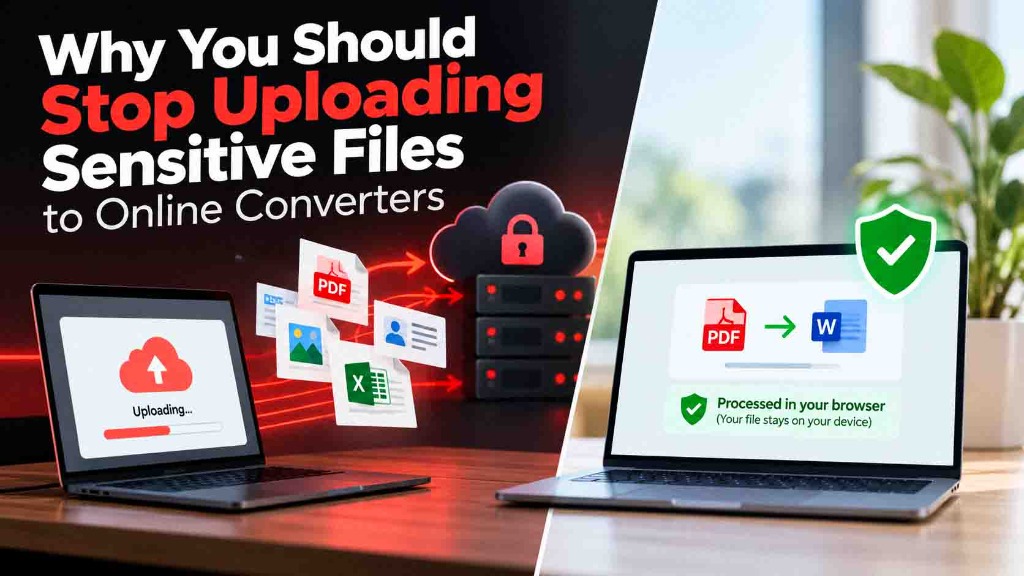
Most people don't think twice about using an online converter. You select a file, hit upload, and wait for the download link. But behind the scenes, you are physically sending a copy of your file to someone else's server.
Uploading a file to a server isn't automatically dangerous. Most reputable websites process your file and delete it eventually. The issue is that once your file leaves your device, you lose control over what happens next.
"But it says 'Secure' and has that little padlock icon," you might say.
Exactly. HTTPS (that padlock) means the connection between your browser and the website is encrypted so nobody can intercept the file while it travels. But it tells you absolutely nothing about how the server handles your file once it arrives. Is it stored temporarily? Is it backed up? Who has access to the server logs? Are third-party APIs involved in the processing?
Why Sensitive Files Deserve Extra Caution
If you're just converting a random meme or a public presentation, uploading it probably doesn't matter. But sensitive files are different. Ask yourself before hitting upload: Would I hand a physical copy of this document to a stranger on the street?
Sensitive files often include:
- Passports and ID cards
- Salary slips and tax documents
- Bank statements and financial records
- Medical records
- Confidential business contracts
When you upload these files, you are trusting the website's privacy policy and their server security. Even if the website intends to delete your file, what if their server gets hacked before the deletion script runs? Or what if they use a third-party service to process the file, meaning your data is now sitting on an entirely different server?
How to Protect Your Privacy When Converting Files
"So what am I supposed to do? Buy expensive software?"
Not at all. You just need to change how the file is processed. This is where client-side processing comes in.
Instead of uploading your file to a server, modern browser technologies allow the conversion to happen directly on your own device. When you use a client-side PDF converter or image resizer, the website sends the conversion engine to your browser. Your computer or phone does the actual work, meaning your sensitive document never leaves your device.
The ConverterForAll Approach
At ConverterForAll, we believe you shouldn't have to sacrifice your privacy just to get a simple task done. That's why we design our supported tools to process your files locally, right inside your browser.
Whether you're using our Image Resizer to format a photo of your ID, or our PDF compression tool to shrink a bank statement, your files stay with you. We don't upload them to our servers, we don't store them, and we don't read them.
Questions to Ask Before Uploading
If you absolutely must use an upload-based service for a complex conversion, always check their privacy policy for these three things:
- How long is the file stored? (Look for explicit timeframes like "deleted after 1 hour", not vague terms like "deleted shortly".)
- Are third parties involved? (Does the site process the file themselves, or do they send it to another company's API?)
- Do they claim rights to your content? (Ensure there are no hidden clauses giving them a license to use your uploads.)
The Simple Rule
"Okay, I get it," my brother said. "So basically, if it's sensitive, don't upload it."
"Exactly. Treat your files like physical documents. Keep them on your own device whenever possible."
"Alright. I'll use the local converter. Thanks, bro."
"Anytime."